Your shop banner is the first visual customers see when they visit your webstore.
A well-designed banner helps highlight promotions, new arrivals, or important announcements, giving your store a more professional and attractive look.
Watch this quick tutorial to learn how to add banner photos to your webstore.
How to Add Banner Photos to Your Webstore #
Adding banner photos to the top of your webstore is quick and easy. Follow the steps below:
Go to the “Banner” tab in your dashboard.

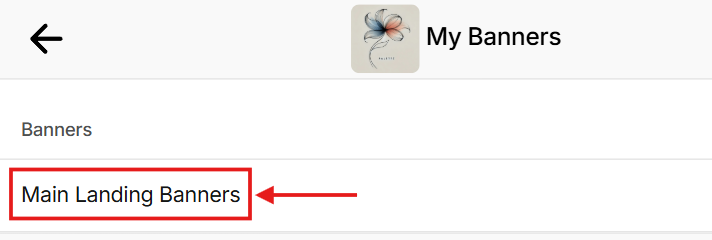
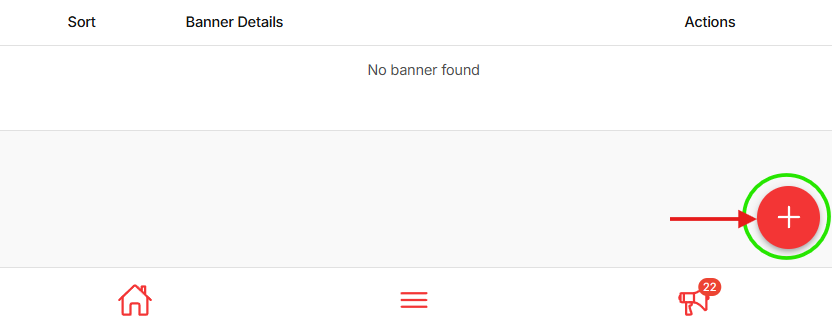
Click “Main Landing Banners” then click the red “+” button on the bottom right corner to add a new banner.
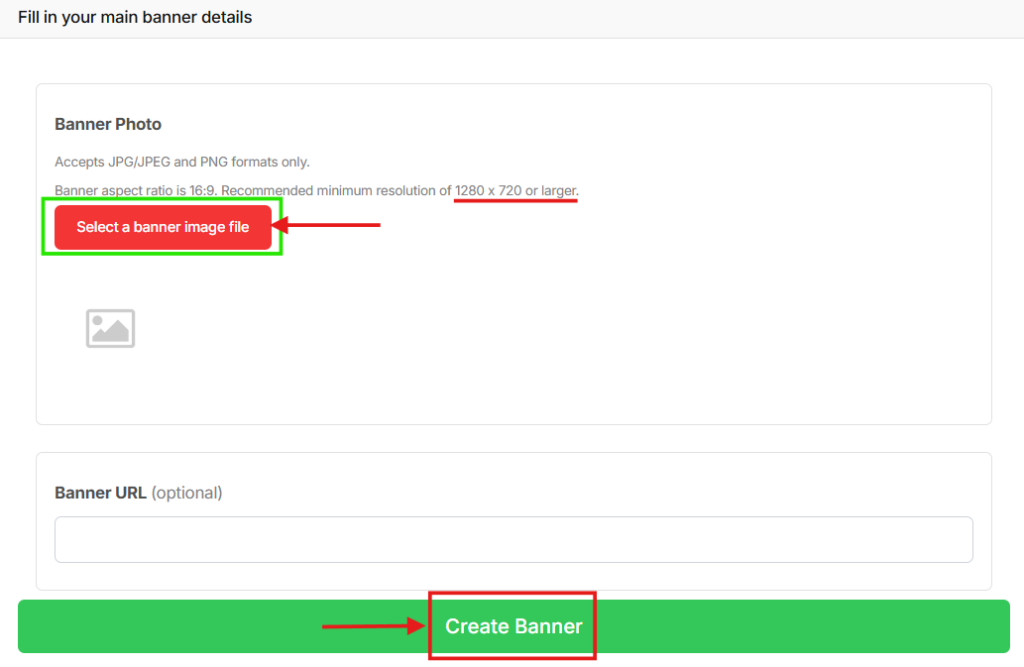
Upload your banner image.
- Recommended ratio: 16:9
- Recommended size: 1280 × 720 px
- Format: JPEG
(Optional) Add a URL link if you want the banner to direct customers to a specific page.
Click “Create Banner.” Your banner is now successfully added to your webstore.
Tip: For the best browsing experience, we recommend using no more than 6 banners.