iPay88 is a trusted Malaysian payment gateway that supports FPX, credit/debit cards, and multiple online payment methods. Once integrated, your customers can pay securely through iPay88 on your JOT store.
How to Integrate iPay88 #
In your merchant dashboard, go to “Payment Gateways”.
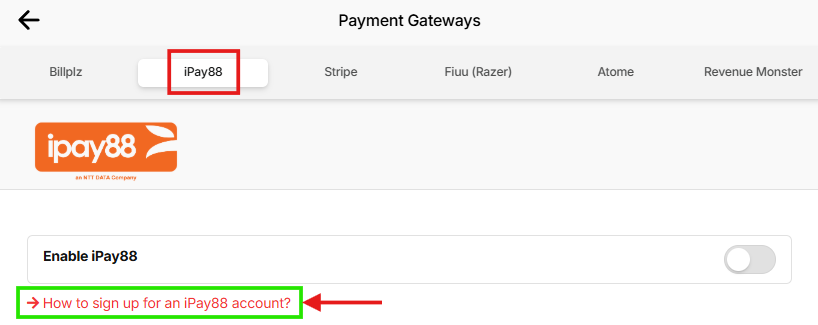
Click on iPay88 from the top menu and click the red hyperlink “How to sign up for an iPay88 account?” and follow all the instructions provided.
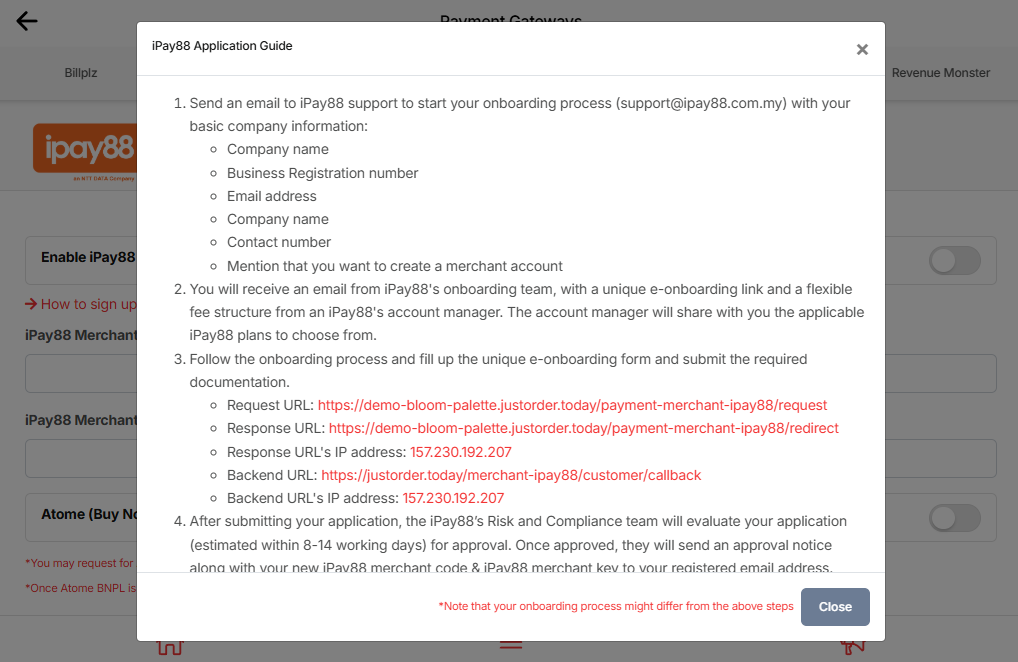
After submitting your application, the iPay88 Risk & Compliance team will review your application.
- Approval time: approximately 8–14 working days.
- Once approved, you will receive an email with your iPay88 Merchant Code and iPay88 Merchant Key.
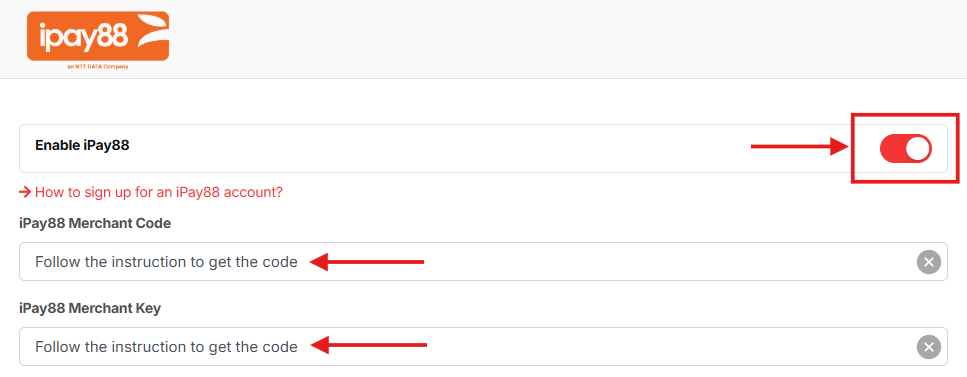
After receiving your credentials, return to this page and fill in your Merchant Code and Merchant Key.
Turn on the Enable iPay88 toggle.
Tips:
- You may request for Atome (Buy Now Pay Later) payment method by emailing them (support@ipay88.com.my).
- Once Atome BNPL is enabled, tick the below checkbox, all order payments made through iPay88 must be at least RM 10.

Click Save to activate this payment method for your shop.