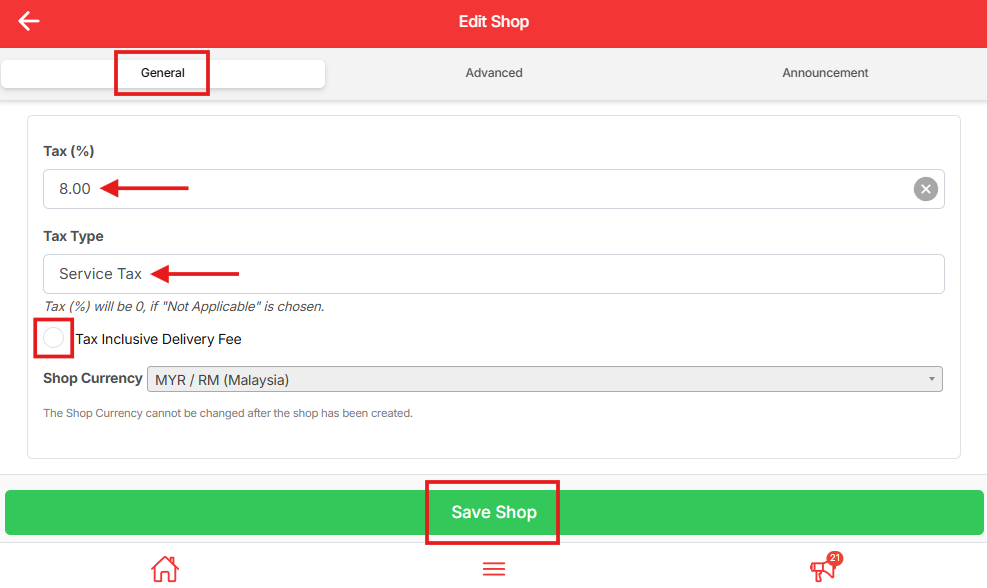
You can set the tax rate for your store directly from your shop settings. Follow the steps below to configure your tax percentage and tax type correctly.
Steps to Set The Tax Rate #
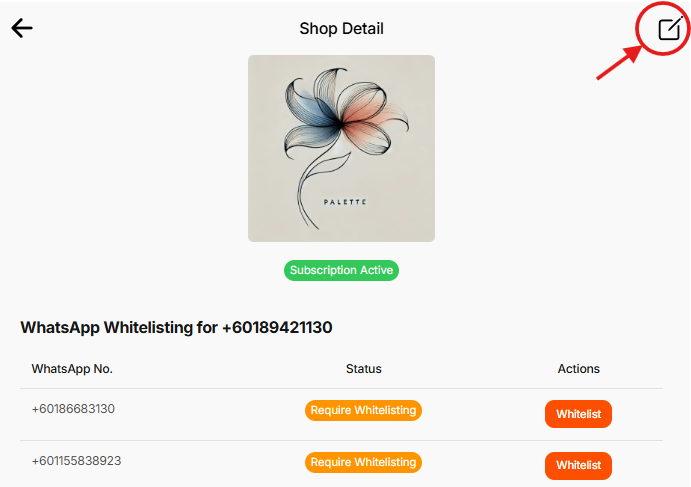
In your dashboard, click the pencil icon (Edit Shop) on the top right corner.
Scroll to the bottom until you see the Tax (%) section.
Enter your tax percentage and select the tax type from the dropdown.
Tick the checkbox if your tax is inclusive of delivery fee.
Your shop currency is MYR (RM).
Note: Shop currency cannot be changed after the shop is created.
Click Save Shop to apply your changes.