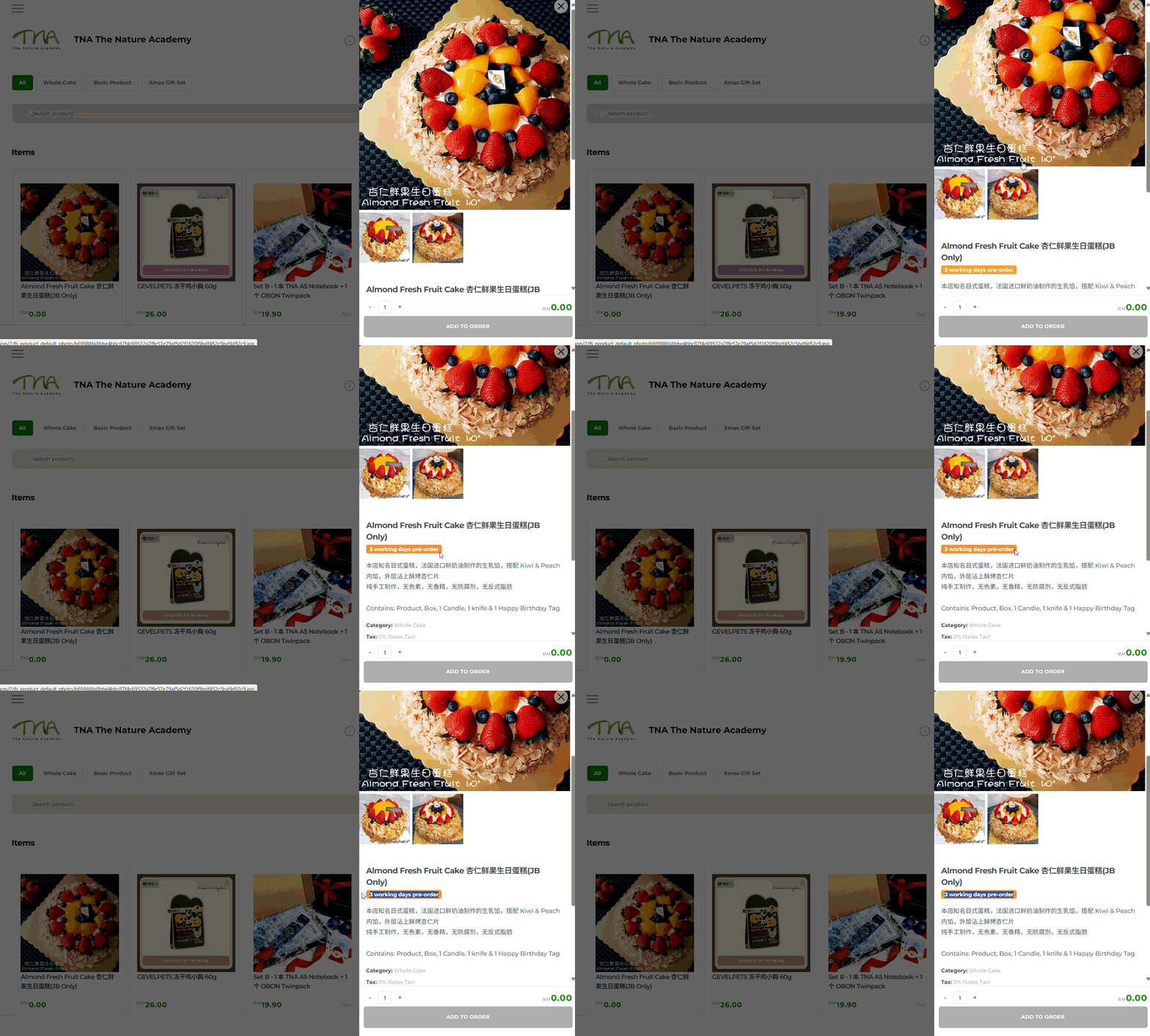
With JustOrder.Today, you can set up products that are available for pre-order only (for example, 3 working days preorder).
This means you can:
- Set the closest date customers can order the product based on your setting
- For e.g. 3 working days preorder setting, customer can only place order for delivery after 3 working days
Follow this step-by-step guide to learn how to create a product available for pre-order only in JustOrder.Today.
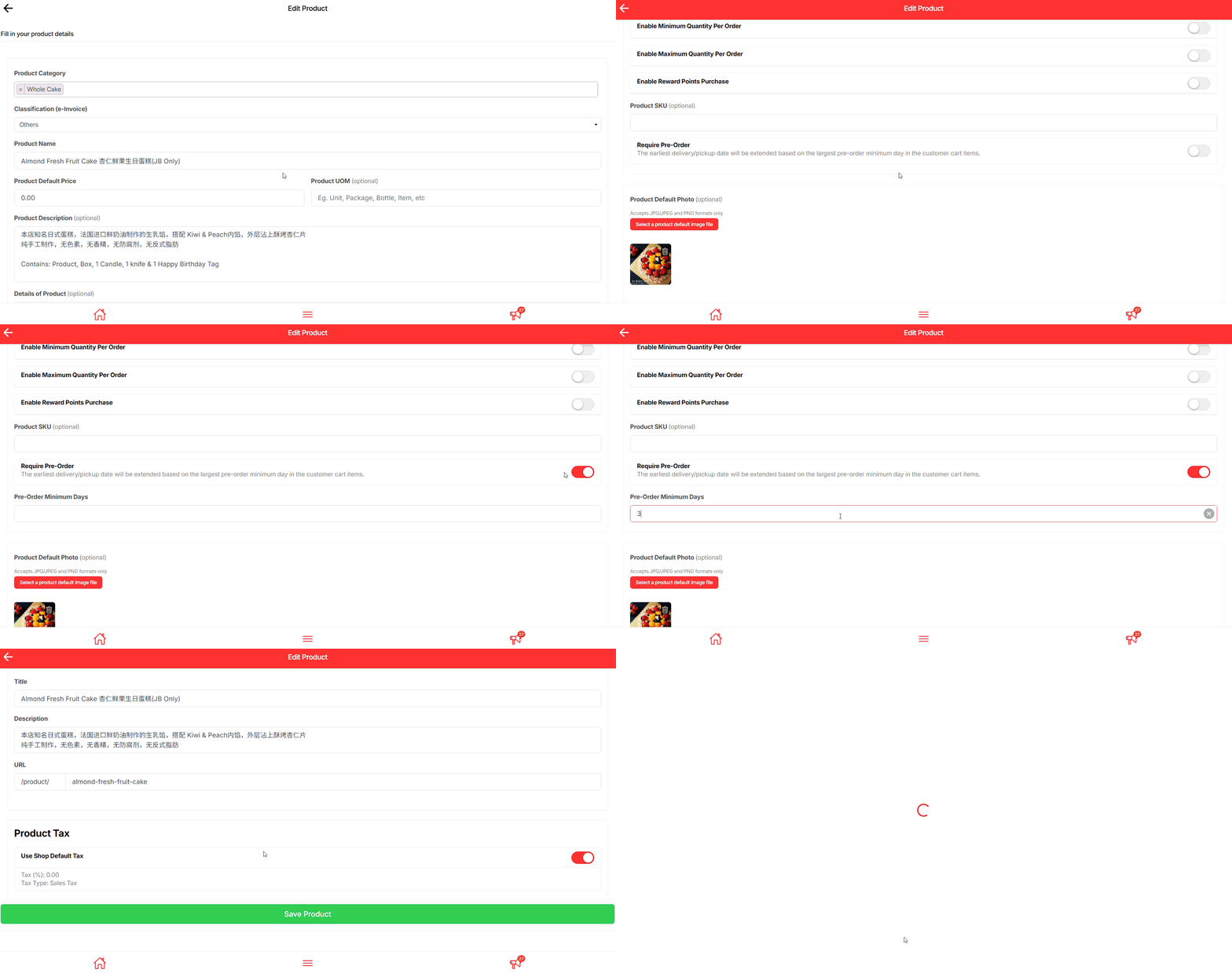
Product Edit Page #
- Scroll down – Find the Require Pre-Order section.
- Turn it on – Toggle the switch to enable pre-order.
- Set working days – Enter how many days you need to prepare the product.
- Save product – Click Save and check that the pre-order note appears on your storefront.
Final Outcome #
Your product should show pre-order working days tag